Standing Desk & Chair Setup for Video Calls
By Petra Novak • 6th May
Introduction
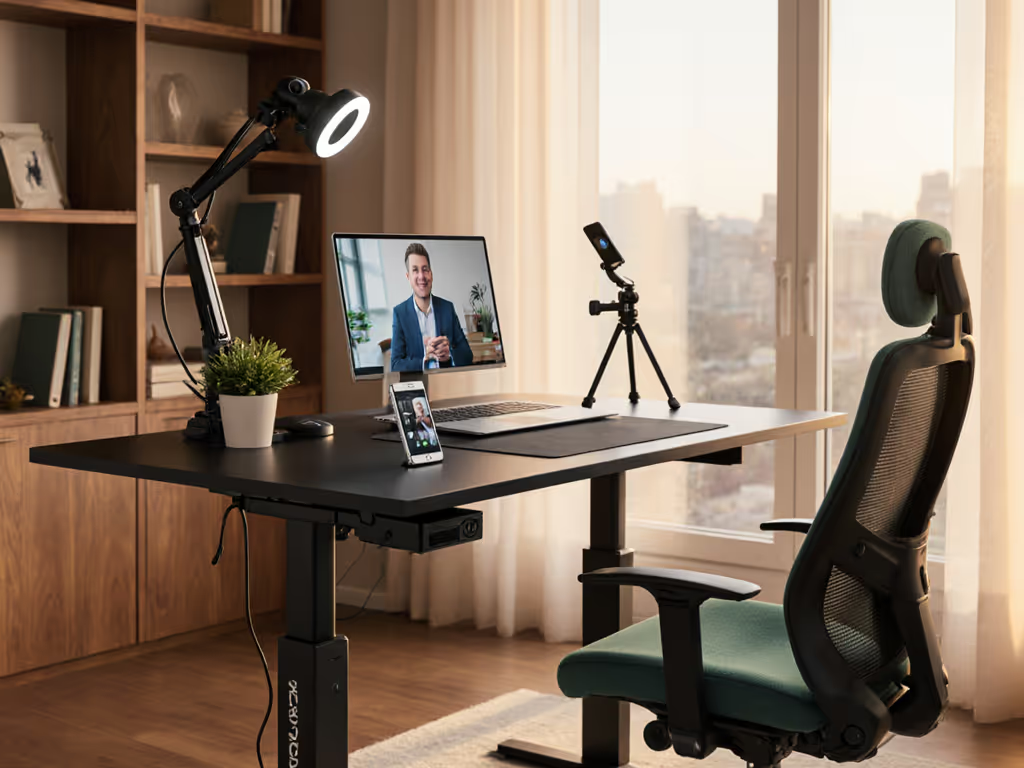
The modern knowledge worker's chair and standing desk arrangement has become far more than an aesthetic choice; it is critical infrastructure that directly impacts professional credibility, health, and productivity. For anyone conducting regular video calls as part of their role, whether through Zoom desk ergonomics sessions, client presentations, or team standups, the stability, positioning, and controllability of your workspace determine not only comfort but the perceived professionalism broadcast to colleagues and clients. This article addresses the most consequential questions around virtual meeting setup procurement through a transparent, acceptance-criteria framework that cuts through vendor marketing to focus on what actually endures.
The stakes are higher than comfort. I have observed numerous deployments falter when desks that performed acceptably in a showroom failed catastrophically in production. One fleet of eighty desks across three floors experienced widespread actuator stalling within weeks under real-world duty cycles. The vendor that survived that crisis? Not the one with the glossy brochure or the faster sales cycle. The survivor had spare columns in regional inventory, published field-service documentation, and a warranty SLA that guaranteed response within 24 hours. That experience crystallized a principle I bring to every deployment: Documented support beats promises.
FAQ: Desk & Chair Setup for Professional Video Presence
Why Is Stability Non-Negotiable for Video Calls?
Your desk is a broadcast platform. When you type, adjust your monitor, or shift position on a video call, micro-movements transmit to the camera as vibration and blur. Users watching perceive this as shakiness, unprofessionalism, or equipment failure. More critically, instability introduces cognitive load, so you become aware of the desk rather than focused on the call. From a physiological standpoint, lateral sway and torsional play force your stabilizer muscles to work harder, increasing fatigue over an 8-10 hour working day.
Research on occupational ergonomics confirms that desks exhibiting more than 1-2 mm of lateral deflection under a 20 kg top load (roughly the mass of dual monitors plus arms) measurably increase typing errors and reduce task performance. That tolerance is not marketing hyperbole; it is repeatable, testable, and forms the basis of ISO 9938 and commercial acceptance standards used by enterprise buyers.
When evaluating a virtual presentation workstation, demand clear deflection specs, not just weight capacity. A desk rated for 150 kg can wobble terribly if the frame geometry or cross-bracing is weak. The best vendors publish third-party test certificates with load, deflection, and frequency response data. For precise, camera-friendly measurements and setup, see our standing desk ergonomics guide.
Stability determines professional presence. Transparency about testing determines trust in stability claims.
What Defines an Acceptance Checklist for Chair & Desk Pairing?
Do not compare chairs and desks in isolation. Your setup succeeds only when both components are synchronized in height range, adjustment mechanism, and suitability for the same work pattern.
Acceptance-criteria framework:
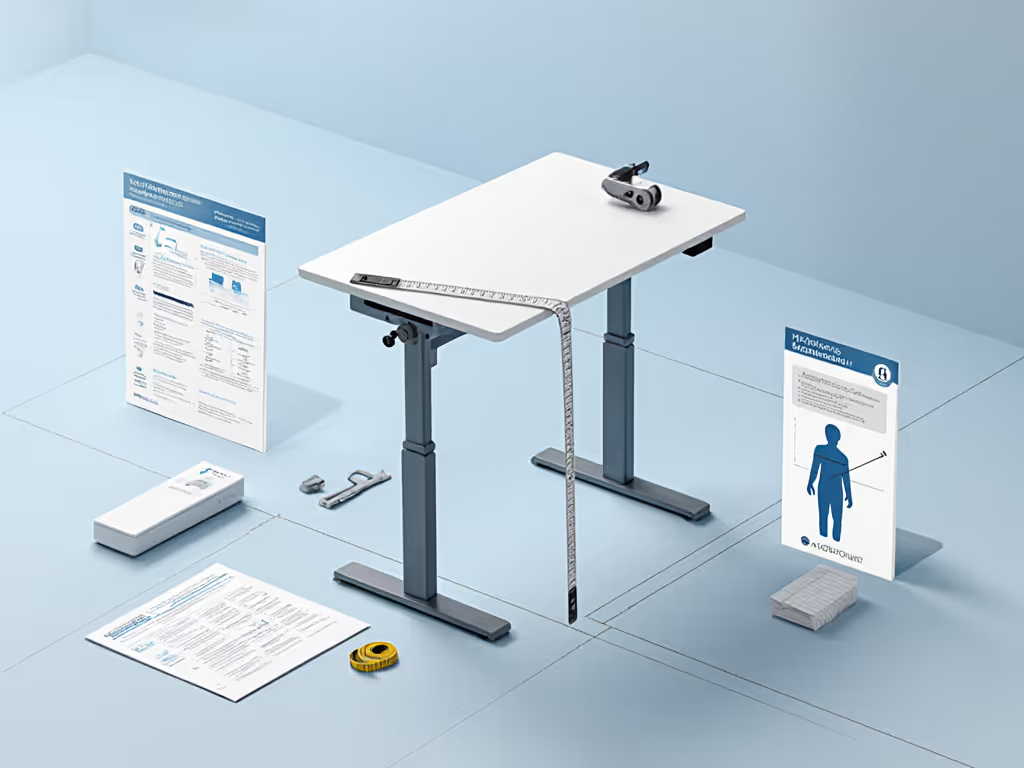
- Height range overlap: Your seated working height (measured from floor to elbow when forearms are parallel to desk) and your standing height (same measurement, standing upright) must both fall comfortably within the desk's adjustment range. Do not assume. Measure and document, especially if you are above 6'2" or below 5'3". If you are exceptionally tall, our guide for 6'5"+ users details required max heights and monitor positioning.
- Transition smoothness: Can the desk move between your sitting and standing positions in under 60 seconds without hesitation, drift, or noise exceeding 75 dB? Test across multiple cycles, not just once.
- Seated chair height: Your chair must reach desk height when the desk is lowered to its minimum. If it cannot, your seated posture collapses, and no workaround exists. Verify the chair's minimum height specification.
- Pressure points and support: Armrests, backrest, and seat pan must align within ±2 cm of desk surface height to prevent shoulder elevation or wrist deviation during typing.
- Cable run and access: Before purchase, verify grommet placement, power outlet positioning, and headphone-jack clearance. Poor cable management becomes chronic friction and is visible in your video background.
- Anti-collision override: Test the anti-collision system with deliberate force. Does it stop consistently? Does it allow manual override if needed? Some systems are overly sensitive and halt unpredictably; others miss obstacles entirely.
- Memory and consistency: Program sitting and standing heights, raise and lower 20 times, then return to memory presets. Does the desk return to within ±1 cm each time, or does it drift?
Vendors that provide a downloadable acceptance checklist and SLA terms for on-site testing demonstrate maturity. Those that resist documentation or claim "all desks are the same" are signaling opacity.
How Do You Assess Zoom Desk Ergonomics Beyond Static Posture?
Static measurements (elbow height, eye line to monitor) are necessary but insufficient. A desk setup that works for one daily pattern fails for another.
Workflow considerations:
- Call duration and eye fatigue: Video calls demand forward-facing posture for 4-8 hours consecutively. Your monitor must be at or slightly below eye level, 50-70 cm from your eyes. If your desk does not position the monitor at this height relative to your chair, no postural correction will prevent neck strain and the visible fatigue that reads poorly on camera.
- Keyboard-to-monitor distance: When seated, your forearms should angle 90-110 degrees at the elbow. A chair and standing desk combo that forces wrist extension or a keyboard too close breeds repetitive strain and compromises video-call presence.
- Transition frequency: If you alternate sitting and standing every 30-45 minutes (the evidence-based recommendation), your desk must move silently and quickly. Mechanical noise disturbs housemates; slow transitions encourage staying in one position, which is a poor compromise. Real-world testing shows users with transition times > 90 seconds abandon standing within weeks. To build a sustainable routine, follow our step-by-step standing desk transition plan.
- Under-desk clearance: Treadmill users and those with knee or leg concerns must verify crossbar height and diagonal bracing. Some frames clear 45 cm; others only 20 cm. If you plan to walk during calls, compare desks purpose-built for treadmill integration. A single specification cannot account for all body types, so demand a clearance measurement and test in situ.
The vendors that document these scenarios in their setup guides, not just assume a "standard" user, reveal an operational maturity born from large-scale deployments.
What Does Vendor Transparency Actually Mean?
Transparency in this category has four measurable indicators:
1. OEM Lineage and Revision History
Who manufactured the frame? Does the vendor subcontract to a Tier-1 OEM or design in-house? What design revisions have been released, and why? If a vendor redesigned the controller or cross-bracing in year two, what failure modes triggered the change? Reputable vendors publish this openly. Those hiding OEM relationships or claiming proprietary mystery invite long-term risk, because when the OEM goes out of business or discontinues the model, you lose access to spares and repair expertise.
2. Published Failure Rates and Lead Times
What percentage of units experience controller failures, leg desynchronization, or motor burnout in the first two years? Over what sample size? If the answer is "we do not track that" or "very few customers report issues," treat that as opacity. A transparent vendor tracks and publishes failure modes, for example, "0.3% motor failure rate over 5,000 units in first 24 months." Lead times for spares should be documented: not "call for availability," but "replacement columns ship within 48 hours from regional stock."
3. Warranty SLA Terms in Writing
"Lifetime warranty" is marketing fluff. "Five-year warranty covering manufacturing defects, with 24-hour response and 5-day resolution for desk frame failure" is an SLA. Demand written terms specifying what is covered, exclusions (does it cover wear items like feet or handset batteries?), response time, resolution options (repair on-site, replacement, credit), and the process for claiming. If a vendor refuses to put warranty terms in writing, that is a red flag.
4. Field-Service Documentation and Spare Parts
Download the field-service manual and component list before purchasing. Can you identify the motor model, controller IC, and sensor type? Are spare parts available as listed items with lead times? One deployment I witnessed stumbled when actuators failed, but the vendor with field-service instructions and spare columns in regional stock resolved the issue in under 24 hours. The competitor needed replacements shipped overseas and took three weeks. Transparency and spares beat glossy brochures every single time.
Vendors confident in their products post this documentation publicly and offer spares at reasonable cost. Those that hoard documentation or discontinue spares after 18 months are optimizing for quarterly sales, not customer lifetime value.
What Are Realistic Fleet Failure Modes and Timelines?
Large-scale desk deployments reveal consistent failure patterns:
- Motor failures (0.2-0.8% annually): Caused by duty-cycle underestimation, loose wiring, or component-level degradation. Most occur between months 8-18 when mechanical wear coincides with thermal cycling.
- Controller and encoder drift (0.5-1.2%): Memory presets drift, height readouts become unreliable, or the desk ignores commands intermittently. These failures are often software-related and can be resolved via firmware update if the vendor is responsive.
- Structural wobble emergence (0.3-0.6%): Welds fatigue, bolts loosen under vibration, or the frame geometry was marginal to begin with. Testing under dynamic load (repeated sit-stand cycles over 1,000+ cycles) exposes these failures; static lab tests often miss them.
- Accessory failures (1-2%): Grommets crack, cable trays separate, handset buttons stick. These are annoying but not mission-critical unless the tray was holding critical infrastructure (power strip, monitor arm base).
Over a fleet of 80 desks, expect 2-4 warranty claims in year one if the desk meets baseline quality standards. If you see >6 claims per 100 units annually, that vendor's manufacturing or design has a systemic issue.
Lead times matter. A replacement frame or motor should arrive within 5 business days from stock, not 4-8 weeks. If a vendor sources components from a single overseas factory with no regional distribution, you inherit their supply-chain risk. That risk is quantifiable: for every week of desk downtime, assume 8 hours of lost productivity per user at fully-loaded cost (salary plus overhead). Eighty desks down for three weeks costs roughly $96,000 in lost output alone. A vendor that maintains spare inventory absorbs risk on your behalf, which is a concrete measure of commitment.
Documented support beats promises. This principle holds at scale: failure rates, lead times, and SLA response commitments are the infrastructure that determine real uptime and value.
How Do You Avoid Buyer's Remorse After Deploying?
Six months into a desk deployment, remorse emerges not from initial failures but from accumulated friction: slow transitions, frequent memory-preset drift, cable management that never worked, or a chair that proved too low even when fully adjusted.
Post-purchase resilience checklist:
- Upgrade paths: Can you replace the motor, controller, or handset independently without scrapping the entire frame? Modular designs cost more upfront but compound in value over seven years. If the vendor has discontinued spares, you are committed to replacement or e-waste.
- Adjustability and accessory compatibility: After three months, do you regret your desktop width, monitor arm choice, or cable-tray position? Can you retrofit extensions, additional grommets, or repositioned crossbars without structural compromise? Vendors that publish mounting patterns (CAD files or detailed drawings) allow third-party innovation. For exact placements that prevent strain and cable clutter, use our standing desk accessory placement guide. Those that make everything proprietary lock you into their ecosystem and limit future customization.
- Finishes and aesthetics cohesion: Will the desktop and frame blend with your home office or corporate environment in six months? Color trends fade; stability does not. Prioritize finishes and materials with low VOC (volatile organic compound) off-gassing and durable coatings. A desktop that delaminates within 18 months is a vendor failure, not user error.
- Resale and second-life value: If your circumstances change, can you resell the desk on the secondary market with confidence? A desk with clear documentation, published field-service manuals, and a recognized OEM frame retains 40-60% of purchase price after four years. An orphaned proprietary model resells for 10-20% or ends up in landfill. That cost externality belongs in your total-cost-of-ownership calculation.
Conclusion: Infrastructure Decisions Deserve Infrastructure Thinking
Your virtual meeting setup is not a commodity purchase. It is a long-lived asset that shapes your professional presence, health, and daily cognitive load. The analytical rigor you apply to software infrastructure (acceptance criteria, failure-rate tracking, SLA documentation, upgrade paths) must carry forward into physical workspace procurement. Desks that appear identical in a showroom often diverge dramatically in long-term reliability and vendor responsiveness. One vendor's spare-parts policy and field-service documentation can mean the difference between a four-hour repair and a three-week outage.
Before committing to a chair and standing desk setup, demand transparency: published failure rates from realistic sample sizes, written SLA terms, regional parts availability, and field-service guides. Compare two vendors not on price alone but on the infrastructure (support, documentation, modularity, and spares) that determines whether your investment compounds into seven-year stability or becomes an expensive regret.
Further exploration: Request the field-service manual, spare-parts catalog, and warranty SLA documentation from any vendor you are seriously considering. Ask for references from fleet deployments (not individual buyers) and inquire about failure-rate trends, response times, and ease of repair. If a vendor cannot or will not provide this information, that absence of transparency is data about their confidence in their product and commitment to your long-term success. Continue your research by cross-referencing OEM manufacturers, conducting on-site stability tests using the acceptance checklist above, and speaking with end users who have deployed at scale. Your thoroughness now pays dividends across years of reliable, professional service.
Related Articles