Translator Workstations: Stability, Parts & Support
By Kwame Boateng • 19th Feb
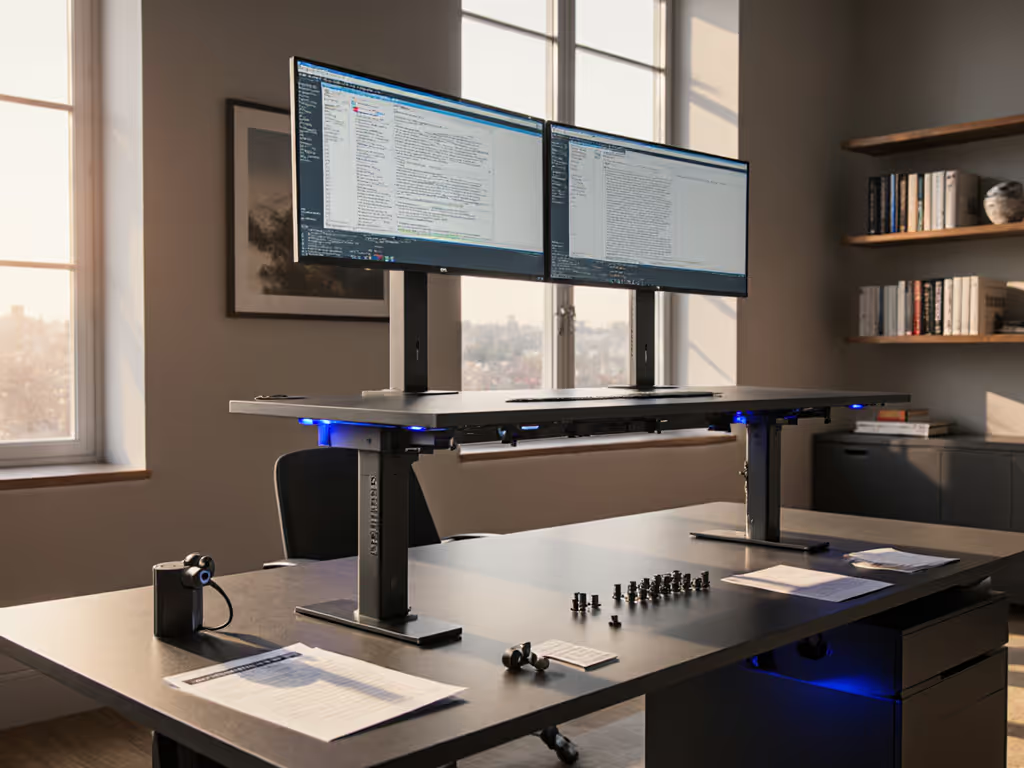
The Problem: Translators Inherit Generic Desk Solutions
Translators and interpreters face a unique ergonomic paradox. Unlike programmers who can relocate monitors across two arms or writers who alternate between one position for hours, language professionals juggle reference materials, dual-monitor setups for source and target languages, and frequent posture shifts (all while maintaining clarity during video calls and client meetings). Yet when they search for a bilingual standing desk or translator workstation, they find general-purpose frames with shallow desktops, poor weight distribution specs, and controllers with memory presets that drift after six months. For proven options that hold dual 27-inch monitors without wobble, see our stable dual-monitor standing desk picks.
The market treats desks as commodity hardware. Brands publish inflated weight ratings, obscure fastener types, and sell replacement parts through opaque channels. A translator's standing desk fails at height 34 inches (the worst moment, mid-sentence during a remote interpretation session), and the vendor vanishes after the warranty period expires. The motor dies in month nineteen. A proprietary cable assembly costs $180 and carries a six-week lead time. Another desk ends up in landfill, its frame perfectly serviceable, its control system unreplaceable.
This cycle repeats because dual language desk setup guides ignore the specific load patterns, material handling, and uptime requirements of interpretation and translation work.
Why Stability and Spare Parts Matter for Language Professionals
The Cost of Wobble
A translator's workstation is not a vanity purchase. Monitor shake at standing height introduces typos and breaks transcription flow. During back-to-back interpretation sessions spanning six to eight hours, a wobbling frame compounds fatigue and reduces confidence on video calls (the equivalent of public speaking with a microphone that crackles). A shaky desk doesn't just annoy; it signals unprofessionalism and erodes client trust. If you're in a shared space, try these standing desk noise reduction techniques to keep calls clear.
Accuracy in translation hinges on environment. Research confirms that cognitive load increases when workers manage environmental distractions (including subtle vibration and instability).[1] For a translator balancing terminology databases, client glossaries, and real-time communication, every micro-disruption degrades output quality.
Parts Availability as Longevity Insurance
I once watched a lab motor fail in month fourteen on a shared workstation. The vendor demanded the entire frame ship back to the factory. Two desks away, another model had a published parts catalog: we ordered a gearset and swapped it with a Torx bit in fifteen minutes. One policy difference saved days, dollars, and waste.[5]
The translation industry runs lean. Freelancers and small studios operate on tight margins and cannot absorb downtime. A language professional desk with documented spare parts (modular legs, replacement controllers, cable assemblies, even fasteners) becomes infrastructure, not liability. Serviceability today saves budgets and landfill space tomorrow.
What Warranty Coverage Actually Means
Standard warranties often exclude wear items (motors, pulleys, casters) after twelve months and offer no parts-list transparency. A translator's realistic desk lifespan is seven to ten years. A warranty that covers only manufacturing defects for two years, then shifts burden to the user, is not a warranty, it is a marketing credential. Compare coverage details in our 20-year standing desk warranty guide to benchmark vendor promises.
Translators should demand:
- Explicit motor/actuator coverage (36 to 60 months, with clear replacement costs if exceeded)
- Published parts catalogs (fastener sizes, material specs, SKU visibility, lead times)
- Clear escalation paths for technical support, with phone/email SLAs
- Documented decommissioning (trade-in, recycling, or refurbishment programs)
- Spare-part pricing guarantees (e.g., controller replacement capped at $120 for life of product)
Comparing Translator-Optimized Workstations: Stability and Support
Criteria for Evaluation
Generic standing desk reviews fixate on motor speed and price. For a translator workstation, the right comparison isolates:
- Stability under dual-monitor load (measured as deflection under 50 to 80 lbs at standing height)
- Desktop depth and width (minimum 30 inches deep for reference materials; optimized width for dual 27-inch monitors + peripherals)
- Cable management and grommet placement (routing audio interfaces, dual USB hubs, footswitches)
- Height range alignment (petite translators at 4'10" require 21-inch minimum; tall interpreters at 6'3" need 48+ inches maximum)
- Controller reliability (preset drift tolerance, anti-collision sensitivity, offline function)
- Spare-part ecosystem (lead time for motor, control box, casters; cost transparency; availability guarantee)
- Warranty scope (years covered, wear-item inclusion, replacement protocol, restocking fees)
- Noise signature (critical for shared offices, home studios, and client video calls)
Key Comparison Dimensions
While the market for specialized multilingual office solution desks remains small, translators can evaluate standard frames through a serviceability lens:
| Dimension | What Matters | Red Flags |
|---|---|---|
| Motor & Actuator | Dual-motor or belt-drive for load stability; NEMA-grade rating; published duty cycle | Single motor under 80 lbs; vague "commercial-grade" claims; no cycle spec |
| Control System | Memory presets locked after 2 years; offline height recall; manual override | Proprietary software; Bluetooth-only mode; no mechanical backup |
| Parts Sourcing | OEM fasteners (ISO standard, not Torx security); modular cable assemblies; public SKU catalog | Proprietary fasteners; press-fit or glued subassemblies; no parts list |
| Warranty Terms | 5+ years on frame; 3+ years on motor; documented repair procedures; phone support | 1 to 2 years blanket coverage; slow email-only support; no parts pricing |
| Repairability | Access to internal components with standard tools; published schematics; user-replaceable items | Sealed enclosures; proprietary tools required; repair restricted to vendor |
| Documentation | Assembly guide with accurate hole-drilling; parts list with diagrams; troubleshooting flowchart | Vague assembly photos; no spare-part info; support chat only |
What Transparent Vendors Disclose
Brands serious about translation workstations and language professional desks will publish:
- Deflection testing results at 50, 65, and 80 lbs, measured at desktop edge (mid-span and corner)
- Fastener specifications (e.g., "Grade 8 bolts, M8 × 25mm; standard Torx T20 heads")
- Motor duty cycle (e.g., "50,000 cycles, 8-hour daily use ≈ 7 years")
- Controller backup mode (manual height dial or mechanical override if power lost)
- Lead times for top five spares (motor, control box, column feet, cable harness, handset)
- Spare-part pricing locked for 7 years
- Video repair guides for user-replaceable items (casters, feet, cable connection)
Vendors that withhold this data are not mysterious, they are optimizing for replacement sales, not customer retention.
The Reality for Translators: Building Your Ideal Setup
Sizing for Your Body and Load
A dual language desk setup must fit your proportions, not average. If you are 5'1" or 6'2", generic height ranges (28 to 48 inches) may leave you either typing from shoulders or crouching. Dial in measurements with our standing desk ergonomics guide for monitor height and keyboard placement. Translators managing two 27-inch monitors plus a third reference screen, keyboard tray, and footswitch need at least 48 inches of desktop width and 30 inches of depth.
Calculate your optimal range:
- Seated height: Elbows at 90 degrees with feet flat or footrest. Desk surface 1–2 inches above elbow crease.
- Standing height: Same arm angle, with 2 to 3 inches of clearance at highest setting for safety margin and anti-collision buffer.
- Desktop load: Sum your monitor arms (12 to 18 lbs each), desktop surface, monitor stands, keyboard, mouse pad, laptop stand, reference binder, and footswitch. Subtract from vendor's rated capacity; if margin is under 30 lbs, choose a larger frame or dual-motor option.
Modular Cable Routing for Interpretation Gear
Interpreters using Zoom or proprietary remote booth software rely on multiple peripherals: USB audio interface, headset connection, foot pedal for notes, and often a secondary monitor for source material. A translator workstation with cable management slots and publicly documented grommet placements (not proprietary adhesive trays) allows future upgrades without wobble or tangled mess.
Standard cable-tray systems (aluminum, modular, MDF-compatible screws) outlast desk models by years because they're reusable.
Spare-Part Strategy for 7+ Years
Before purchase, contact three vendors:
- Ask for a spare-parts price sheet (motor, control box, cable, casters, feet).
- Request lead times for each item; anything over four weeks signals fragile supply chains.
- Inquire about end-of-life policy: Will parts remain available after the product line discontinues? Many vendors commit to a "parts-available" window (e.g., 10 years).
- Check warranty fine print for restocking fees; legitimate vendors absorb returns within 30 days; predatory ones charge 15 to 25%.
If a vendor cannot answer these questions, assume the desk is designed to fail at year five, forcing a full replacement.
Actionable Next Steps for Your Translator Workstation
-
Audit your current setup: Measure deflection at standing height with your actual load (two monitors + peripherals). If visible wobble occurs, your frame is under-rated or your desktop is too soft. Document the motion with video for support escalation. You can quantify shake using our phone-based wobble diagnostics guide.
-
Request a parts catalog before purchase: Email three shortlisted vendors asking for SKU lists, prices, and lead times. Publish responses side by side. Vendors offering this openly are betting on long-term support; those refusing are not.
-
Calculate total cost of ownership: Divide purchase price by expected lifespan (7 to 10 years), then add annual maintenance (spare parts, anticipated repairs). A $400 desk with $50 annual spare-part costs and a 10 year lifespan averages $85/year. A $200 desk with $200 motor replacement at year five averages $80/year — seemingly equal, but the first model survives to year ten; the second becomes waste.
-
Test the handset and controller offline: Ask if you can trial the height memory system unplugged or with Bluetooth disabled. Controllers that fail without cloud connectivity are fragile and future-proof-resistant.
-
Verify cable accessibility: Open the demo unit (if permitted) or watch an unboxing video. Can fasteners be removed with standard tools? Are cables routed through sealed plastic or modular clips? Sealed = trapped; modular = future-ready.
-
Join translator and interpreter forums: Community feedback on seven-year reliability beats marketing claims. Ask directly: "Whose desk is still running after five years? What failed? How much did repair cost?"
Serviceability isn't a feature; it is the backbone of a workstation that grows with your practice and respects your investment. In translation, precision and reliability earn trust. Your desk should too.
Related Articles