Physical Therapist Standing Desk: 8 Specs That Support Sessions
By Mei Lin • 12th Apr
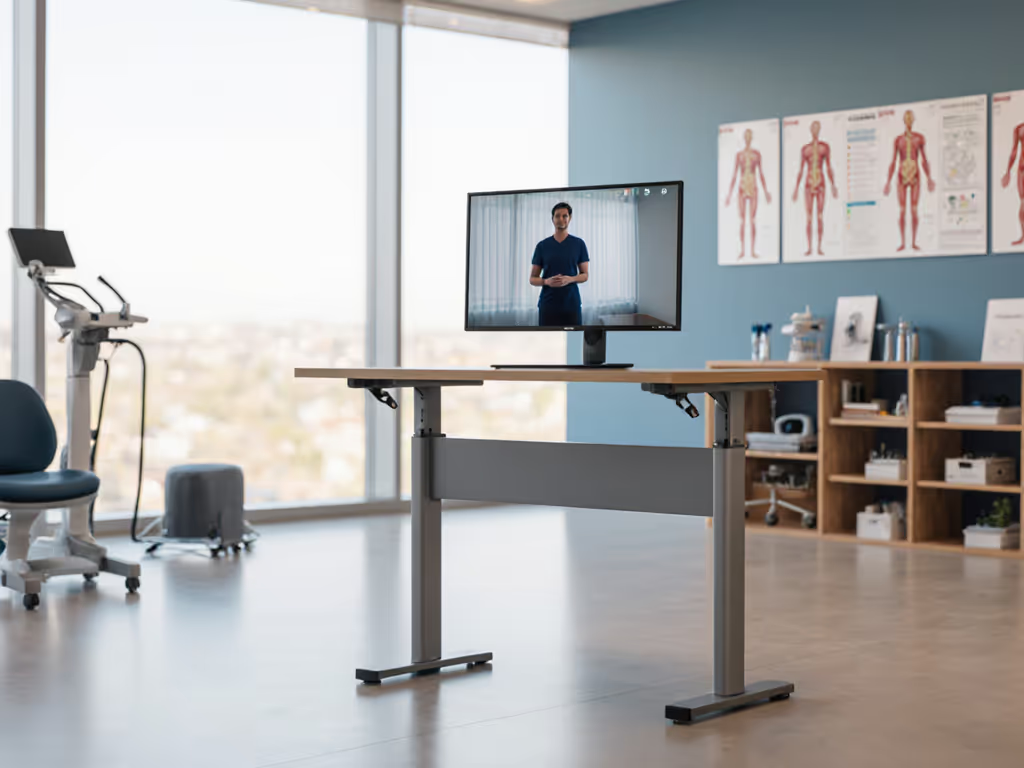
A physical therapist standing desk is not a luxury; it's clinical infrastructure. When you're moving between standing patient assessments, demo exercises, and detailed documentation, your workstation must earn its place through stability, adjustability, and quiet operation. Unlike a home creative workspace, a PT desk supports patient observation, exercise coaching, video conferencing with referral partners, and rapid transitions between sitting and standing. For camera angles, privacy, and workflow tips tailored to remote care, see our telehealth workstation setup. Each of these demands a specific engineering choice.
Search results on patient positioning and base-of-support training show that therapists spend significant time demonstrating movement patterns, assessing balance, and monitoring alignment from multiple distances and angles.[2] Your desk must vanish from the conversation: no wobble during video calls with patients or insurers, no buzz or squeak when you shift position mid-session. A poorly chosen frame doesn't just create friction; it erodes the professionalism and confidence your patients depend on.
This guide breaks down the eight non-negotiable specifications that separate a functional standing computer workstation solution from a liability. Each spec translates to real outcomes: reduced cognitive load, faster patient handoffs, and a workspace that invites deep work alongside careful observation.
1. Stabilization Stiffness at Patient Assessment Height (Vertical Deflection < 2 mm Under Load)
Physical therapists conduct standing exercises and balance assessments (often coaching clients through posture checks or gait review) from a standing position behind or beside the desk. This means your monitor arm and keyboard are at or above eye level, and any lateral movement transfers directly into visual shake.[2] A desk that flexes more than 2 mm (roughly 1/8 inch) under a 50 lb distributed load (monitor arm + keyboard + mouse + documents) will produce visible screen jitter during video calls and unmask every keystroke as a micro-tremor.
How to test: Place a 50 lb weight on the desktop at a 24-inch reach (typical monitor arm location). Measure vertical movement with a dial indicator or laser level. Competitive models from established manufacturers typically achieve 1-1.5 mm; budget frames often exceed 3 mm. Crossbar placement, leg diameter, and steel thickness all contribute. A frame with a thicker steel column (1.4-1.6 mm) and a low crossbar (12-16 inches high) will outperform a lighter design with internal bracing alone.
Why it matters: Patient confidence erodes when your backdrop moves during a recorded exercise demo or telehealth session. Stability is also a safety cue (a rock-solid desk projects competence and invites trust).[1]
2. Adjustment Range: 22-50 Inches (Height), With Sub-Desk Clearance ≥ 10 Inches
Standing workstation ergonomics must accommodate both sitting and standing therapy modes. Seated patient interviews typically require a desk height of 28-30 inches. Standing documentation or light supervision often calls for 40-48 inches to keep your arms at elbow height without shoulder shrug. Some PTs also co-work with seated patients, requiring an immediate drop to 22-24 inches for shared screen viewing.
Seek a frame with a minimum range of 22-50 inches. This spans petite users (5'2") standing to tall users (6'3") seated. Verify the sub-desktop clearance (gap between the lowest leg position and the floor): anything less than 10 inches will trap equipment (resistance bands, patient files, or a footrest for a seated child). Many mid-market frames deliver only 8 inches, forcing awkward storage choices.
Why it matters: A desk that doesn't go low enough for your seated assessment posture will drive neck and shoulder strain within weeks. Similarly, a frame that maxes out below 48 inches leaves tall staff unable to reach comfortable standing height, defeating the purpose.
3. Motor Synchronization and Drift Tolerance (< 0.5 Inch Per Month)
Dual-motor frames are standard for desks above 150 lb weight capacity. Each motor must move at near-identical speed, or the desktop tilts, keyboard slides, and cable routing binds. Over months, motors can drift (one aging faster than the other), leading to a creeping tilt that becomes visible only when you glance at a spirit level.
Seek a frame with active synchronization: a control system that monitors each motor independently and adjusts on the fly. Budget alternatives use passive chains or mechanical shafts, which tolerate ±1 inch of tilt by design. For a PT desk bearing a multi-monitor arm, a precision medical PC, and patient charts, tilt translates into misalignment within 6 months. Request a frame that guarantees < 0.5 inch drift per month under typical use.
Why it matters: Patient observation requires a level horizon. Chronic tilt also accelerates monitor-arm fatigue and can prematurely wear ball joints and cable conduits.
4. Weight Capacity: Minimum 250 lb (Tabletop-Distributed), Verified by Third-Party Load Testing
Many PT setups stack multi-monitor arms, a solid-wood desktop (40-80 lb), medical-grade PC towers, dictation microphones, and patient documentation systems. Claimed weight capacity often inflates: a frame rated "300 lb" might mean 300 lb at the center of a light tabletop, not a 60 lb desktop with three arms and peripherals at varied locations.
Verify that the manufacturer conducts distributed load testing: placing weight across the desktop (not just center point) and measuring deflection, wobble, and motor strain. A genuinely robust patient assessment desk frame will support 250 lb distributed across a 48-inch top without deflection exceeding 2 mm and without stalling or overheating motors. Ask for test reports; reputable manufacturers publish them.
Why it matters: Undersized frames fail silently. A motor stalls mid-raise in front of a patient, or the desktop tilts perceptibly under a heavy arm. Long-term strain on undersized components also accelerates failure of controllers and internal cabling, leading to expensive repairs after warranty expires.
5. Noise Profile: ≤ 65 dBA at 1 Meter During Raise/Lower (No Squeaks or Buzz)
Many PTs share office spaces (perhaps a rented suite or a clinic) where multiple desks operate simultaneously. If your clinic struggles with vibrations or transfer noise, try these noise reduction techniques for shared spaces. A motor that whines, squeaks, or buzzes at >65 dBA (roughly a vacuum cleaner's volume) will broadcast every transition to neighbors and distract patients during telehealth video or recorded exercise demos.
Listen to demos in person if possible. Motor type matters: quality brushless DC motors at 3000-4000 RPM tend to be quieter than lower-cost brush models. Lubrication and bearing fit also contribute. A desk that hums softly (55 dBA) versus one that squeals (72 dBA) feels categorically different during an 8-hour workday and creates a vastly different impression during patient calls. Clear the cables; clear the mind, and your video frame.[1][3]
Why it matters: In a shared clinic or small apartment, noise bleeds into professionalism. Quiet operation also signals mechanical precision; squeaks often precede premature failure.
6. Desktop Surface Durability and Warranty: Scratch/Chip Resistance, Low-VOC Finish
PT desktops endure: patient files, resistance-band friction, hand sanitizer spills, occasional elbow drops during tense documentation sessions. A veneer that chips easily or a finish that off-gasses will undermine workspace pride and patient perception of cleanliness. For infection-control features and easy-clean materials, see our antimicrobial medical standing desk guide.
Seek a desktop with a commercial-grade laminate (melamine or HPL (high-pressure laminate)) backed by a 3-5 year chip and scratch warranty. Solid wood or engineered wood with a poly topcoat is durable but requires maintenance. Most importantly, confirm the finish is low-VOC (volatile organic compound) certified, especially if your office is compact or poorly ventilated. Off-gassing odors (particularly from new MDF or particle board) can trigger headaches and create an unpleasant first impression for patients.
Why it matters: A durable surface feels professional and lasts 7+ years without cosmetic degradation, lowering total cost of ownership. Low-VOC certification is a quiet health signal that builds confidence in your practice standards.
7. Lateral Stability and Crossbar Clearance: Crossbar ≥ 16 Inches Below Desktop (Seated/Standing Hybrid Use)
Many physical therapy practices now use under-desk treadmills or footrests for concurrent standing work or patient demonstration. A crossbar (the horizontal member connecting left and right legs) that sits too high will clip knees and trap equipment, forcing you to stand far back from your screen.
Seek a frame where the lowest crossbar is at least 16 inches below the desktop surface, measured from desktop underside to crossbar top. This clears a standard under-desk treadmill (typically 4-5 inches tall) and leaves room for a footrest or leg-lifter attachment. Additionally, standing workstation ergonomics improve when the crossbar geometry resists side-to-side racking: a frame with diagonal bracing or a box-tube structure (rather than a single-plane crossbar) will feel tighter and inspire confidence during lateral reaches for documents or patient demonstrations.
Why it matters: Sufficient clearance enables you to integrate a treadmill or balance-training accessory, expanding your workspace utility. Lateral rigidity also reduces whip when you push off from the desk during quick transitions.
8. Controller Reliability and Parts Availability: Spare Handset, Motor Warranty ≥ 5 Years, Open Documentation
The controller is the frame's most vulnerable component. Handset buttons wear, motor windings fail, and firmware bugs occasionally cause height presets to drift or anti-collision systems to misfire. When it breaks, a therapist without a desk loses income.
Verify that the manufacturer sells spare handsets at <$50 and stocks them for ≥ 5 years post-purchase. Request a copy of the parts list and motor specifications. A reputable medical standing desk bundle vendor will provide a 5-7 year warranty on motors and structural components (though tabletop and finish typically carry a shorter, separate warranty). Equally important: ask whether the frame is designed for user repair (swappable motors, readily accessible connectors) or if repairs require factory service. Modular, user-repairable frames reduce downtime and long-term costs.
Why it matters: A desk locked down for 6 weeks while awaiting factory repair is a business failure. Transparent parts sourcing and a reliable warranty transform a desk from a disposable purchase into true infrastructure.
Putting It Together: The PT-Specific Standing Desk Workflow
These eight specs are not luxury trade-offs; they are the structural grammar of a workspace that earns professional trust. A desk that wobbles undermines patient confidence and your own focus. A frame that doesn't adjust to your body invites chronic pain and resentment. A controller that fails mid-session forces improvisation and downtime.
When evaluating a potential physical therapist standing desk, build a checklist:
- Stability test: Can you measure deflection on the manufacturer's spec sheet or request a third-party report?
- Adjustment range: Does the frame span 22-50 inches with ≥ 10 inches sub-desktop clearance?
- Motor sync: Does the vendor guarantee < 0.5 inch drift per month, or only passive tolerance?
- Weight capacity: Is the rated capacity verified under distributed load, and does it exceed your multi-monitor setup?
- Noise: Can you listen to a demo in person, or does the vendor publish dBA measurements?
- Desktop warranty: Is the surface low-VOC and backed by ≥ 3 years chip/scratch coverage?
- Crossbar clearance: Can you fit a treadmill or footrest without cramping your workspace?
- Parts & warranty: Are spare motors, handsets, and controllers in stock for ≥ 5 years, with ≥ 5 year structural warranty?
A Real Example: From Wobble to Calm
One therapist in a shared clinic suite set up a desk with an undersized frame (missing spec #4: weight capacity). Over six months, she stacked a 55 lb desktop, a dual-monitor arm, and a knee-height assessment station. The frame began to tilt during standing documentation sessions. The wobble wasn't dramatic (maybe 1/2 inch), but it caught her attention every time she looked at her PC. Patients mentioned they felt unstable watching a shaky demo. The motor also began to squeak during transitions, and the handset preset drifted slightly each week. She switched to a frame that met all eight specifications: heavy-duty steel, genuine motor sync, a low crossbar for her assessment gear, and a robust warranty. The new desk was silent, rock-solid, and aligned her workspace with her professional standards. The older frame became a storage shelf; the new one is infrastructure she trusts for seven more years.
Next Steps: Spec-Driven Selection and Piloting
Before committing to a frame, request samples or demonstration units. Most established vendors offer 30-day trials or will provide a loaner for your clinic. During that trial, run through all eight specs:
- Measure deflection under your real load (monitor, keyboard, documents) at both sitting and standing heights.
- Test motor sync by running a raise/lower cycle 20 times and checking for creeping tilt.
- Time the noise with a smartphone dBA meter app during a full raise and lower cycle.
- Inspect the desktop for finish durability and ask about VOC certification.
- Verify clearance with a footrest or treadmill mock-up.
- Request the full parts list and warranty document in writing; don't rely on verbal promises.
- Check availability of spare motors and handsets on the vendor's website, not just upon request.
- Speak with existing users in clinical or therapy environments; ask about long-term reliability and repair turnaround.
Arm yourself with these eight specs, and you will eliminate 80 % of buyer's remorse. You will invest in a desk that lasts, supports your body and your practice, and invites patient confidence through quiet, solid, professional presence. Tidy equals usable, and a usable desk is the foundation of deep work.
Related Articles