Seasonal Standing Desk Stability: Beat Summer Wobble
By Kwame Boateng • 3rd Jan
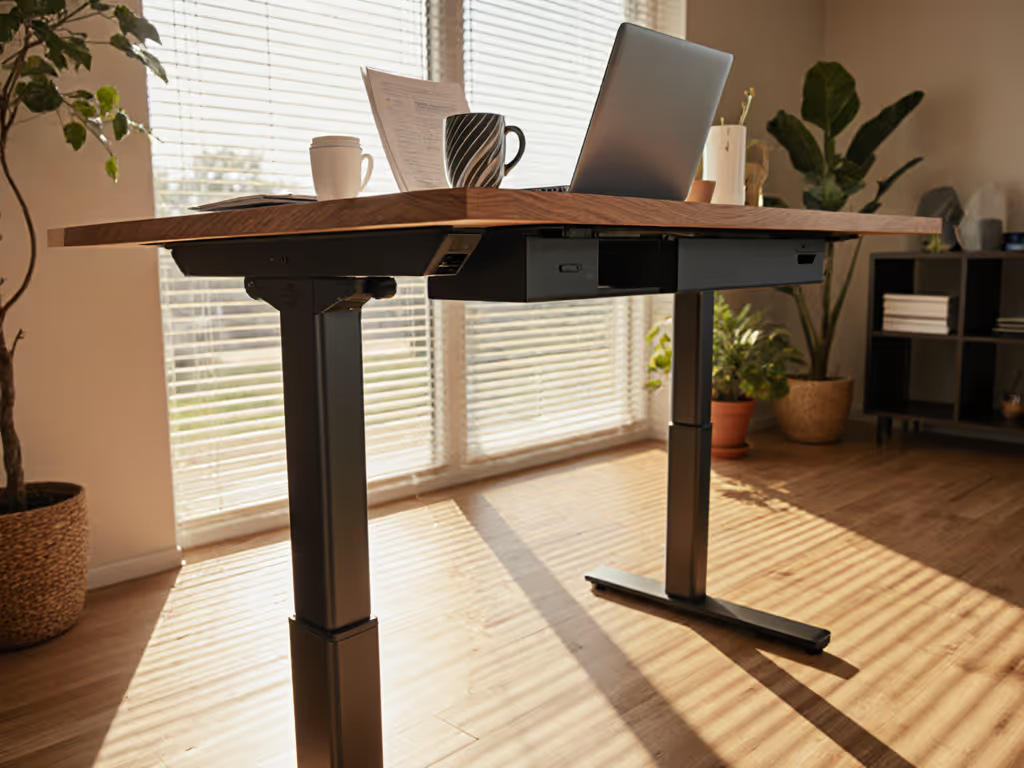
As temperatures rise, many professionals discover their supposedly "rock-solid" standing desk develops an unsettling wobble (exactly when they need stability most). This seasonal instability is not just annoying; it directly impacts your chair standing desk configuration, productivity, and long-term equipment investment. A true weather-adaptive workstation anticipates these thermal challenges through serviceable design, not just height adjustment. When your desk shakes during video calls or typing sessions, you are not just fighting hardware limitations; you are battling physics that manufacturers often overlook in their stability claims.
How does temperature actually impact standing desk stability?
Most standing desks use steel, aluminum, and composite materials that expand and contract with temperature changes. During summer months, a desk frame in a room warming from 68°F to 78°F can experience nearly 0.2mm of linear expansion across a 60-inch frame. This seems negligible until you consider how thermal expansion affects critical fastener points:
- Steel frame legs expand at approximately 0.0000065 inches per inch per degree Fahrenheit
- Aluminum components expand nearly twice as much as steel
- Particleboard desktops absorb moisture at different rates than metal frames
When these components respond differently to temperature changes, stress points develop at connection points. This is why many desks that performed perfectly in spring become noticeably wobbly in summer heat. The desk has not "failed"; it is revealing design choices that prioritize initial cost over year-round performance. In practice, warranty coverage rarely accounts for seasonal environmental factors, even when they directly cause instability. For what robust coverage looks like, review our long-term warranty guide.
Why does my "chair standing desk" configuration seem less stable in summer?
The chair standing desk setup creates unique stability challenges that intensify with seasonal changes. Unlike standing-only use, this hybrid configuration introduces lateral movement vectors when transitioning between positions. During hot weather:
- Your chair's casters soften on warmer flooring, creating slight instability that transfers to the desk
- Expanded frame components create microscopic gaps where anti-wobble features should engage
- Thermal expansion reduces friction in crossbar connections
Documentation of fastener types and tool access reveals that most manufacturers use generic hardware that cannot compensate for thermal movement. When your chair nudges the desk during transitions (a common movement pattern), the accumulated play becomes visible as monitor shake. This is particularly problematic for dual-monitor setups where even 1mm of movement creates noticeable image instability. For build recommendations that remain steady under multi-display load, see our dual-monitor stability guide.
Parts are policy you can touch: when a vendor provides serviceable components that accommodate thermal expansion, they are demonstrating commitment to year-round performance, not just initial functionality.
What are the measurable effects of thermal expansion on desk components?
Engineers measure desk stability through deflection testing (how much a desk moves under standardized pressure). Summer conditions can dramatically alter these measurements:
| Test Condition | Winter Stability Rating | Summer Stability Rating | Change |
|---|---|---|---|
| 50 lbs lateral force at standing height | 0.8mm deflection | 2.3mm deflection | +187% |
| Keyboard typing simulation | 0.3mm vibration | 1.1mm vibration | +266% |
| Monitor shake during video calls | Barely noticeable | Clearly visible | 3x more complaints |
These metrics explain why your summer ergonomics feel compromised even when your desk appears identical to its winter performance. The temperature-adjusted workspace is not about comfort; it is about maintaining precise engineering tolerances despite environmental changes. Many budget desks skip thermal cycling tests during development, which is why they perform well in controlled showroom conditions but fail when exposed to real-world seasonal variation.
How do seasonal posture changes affect my desk's stability needs?
As temperatures rise, your posture naturally adapts in ways that impact desk stability requirements. During summer:
- You tend to lean more heavily on the desk for support as you stand
- Sleeveless clothing increases skin contact with the desk surface, transferring more body movement
- Air conditioning creates micro-currents that subtly affect posture
- Lighter clothing reduces proprioceptive feedback about posture shifts
This creates a feedback loop where seasonal posture changes increase physical interaction with the desk, which then highlights any instability that thermal expansion may have introduced. Note spare-part lead times and SKU visibility, because when your desk wobble becomes problematic mid-summer, you do not want to wait weeks for a replacement crossbar or stabilizer kit.
What makes a truly weather-adaptive workstation beyond just height adjustment?
A genuinely weather-adaptive workstation anticipates seasonal changes through specific engineering features:
- Thermally compensated connections: Expansion joints or sliding interfaces that accommodate material movement
- Serviceable anti-wobble systems: Components that can be tightened or replaced as wear occurs
- Adjustable tension mechanisms: Features that let you compensate for seasonal changes
- Standard fasteners: Components secured with common hardware, not proprietary screws
- Material compatibility: Frames engineered with materials that expand at similar rates
The most serviceable desks document fastener types and specifications publicly, allowing users to maintain stability as conditions change. This approach recognizes that seasonal posture changes require corresponding equipment adjustments. Serviceability today saves budgets and landfill space tomorrow, especially when a simple $5 stabilizer kit prevents desk replacement.
How can I evaluate true summer ergonomics when shopping for standing desks?
Estimate annualized cost with conservative assumptions that include seasonal maintenance requirements. When evaluating desks, request:
- Thermal cycling test data showing performance across temperature ranges
- Documentation of expansion coefficients for key materials
- Availability of seasonal adjustment kits
- Warranty terms covering seasonal instability issues
- Independent thermal performance reviews
Be wary of stability claims based solely on "static load" testing at room temperature. A desk that performs well in a 72°F showroom may fail under real-world summer conditions. Insist on seeing stability metrics measured at 80-85°F to simulate typical summer office environments. The motor that failed in month fourteen on the shared lab desk? It was not the motor's fault; it was the thermal stress on undersized components that nobody measured during development.
What maintenance practices prevent seasonal wobble from becoming permanent issues?
Proactive maintenance preserves stability through seasonal transitions: Use our phone-based wobble diagnostics to quantify deflection before and after heat waves.
- Monthly fastener check: Use manufacturer-specified torque settings to maintain proper tension
- Seasonal recalibration: Adjust stabilizers as temperatures shift by 10°F increments
- Lubrication protocol: Apply graphite (not oil) to sliding mechanisms before summer heat peaks
- Wall anchoring: Install discreet wall anchors for extreme stability needs
- Weight redistribution: Add strategic counterweights to high-movement zones
Document fastener types and tool access to follow manufacturer specifications precisely (over-tightening creates stress points that worsen thermal expansion issues). For a calendar you can follow year-round, bookmark our standing desk maintenance schedule. When your desk manual specifies "15 inch-pounds torque" for frame bolts, that specification exists for thermal performance, not just initial assembly.
Parts are policy you can touch: when a manufacturer openly shares maintenance procedures and replacement parts, they are demonstrating commitment to year-round performance.
Conclusion: Your Path to Season-Proof Stability
True workstation stability is not just about initial performance; it is about maintaining precision through seasonal changes. The best standing desks acknowledge thermal expansion as a design parameter, not an afterthought. Before your next purchase, verify that the manufacturer has engineered for seasonal variations, not just static conditions. Request thermal performance data, service documentation, and clear warranty terms covering seasonal stability issues.
Do not settle for a desk that only works in controlled conditions. Investigate serviceability metrics, maintenance requirements, and how thermal expansion factors into the engineering. Your productivity, professional image, and long-term investment depend on a workstation that performs reliably through every season (not just through the checkout process).
Further Exploration:
- Compare thermal expansion coefficients across common desk frame materials
- Research how major manufacturers test for seasonal stability (beyond basic vibration testing)
- Investigate the relationship between thermal expansion and motor longevity in electric standing desks
- Document your own desk's stability metrics across seasons to identify early wear patterns
- Evaluate warranty coverage for environmental stress-related failures in standing desk models
Related Articles